A WOD on the whiteboard, a timer counting down, transitions between movements and a long list of reps: after class, copying every exercise into a workout log can feel like another workout.
With Grunty, you can photograph the WOD (Premium feature), describe it by voice or type it in natural language. Workouts can be structured as AMRAPs, EMOMs, For Time sessions or other grouped work.
Grunty also includes 15 named benchmark templates. For certain standard workouts, saying something as short as ‘I finished Murph in 47 minutes’ can identify the benchmark and record your result. Here is how to use that feature without losing the details that matter.
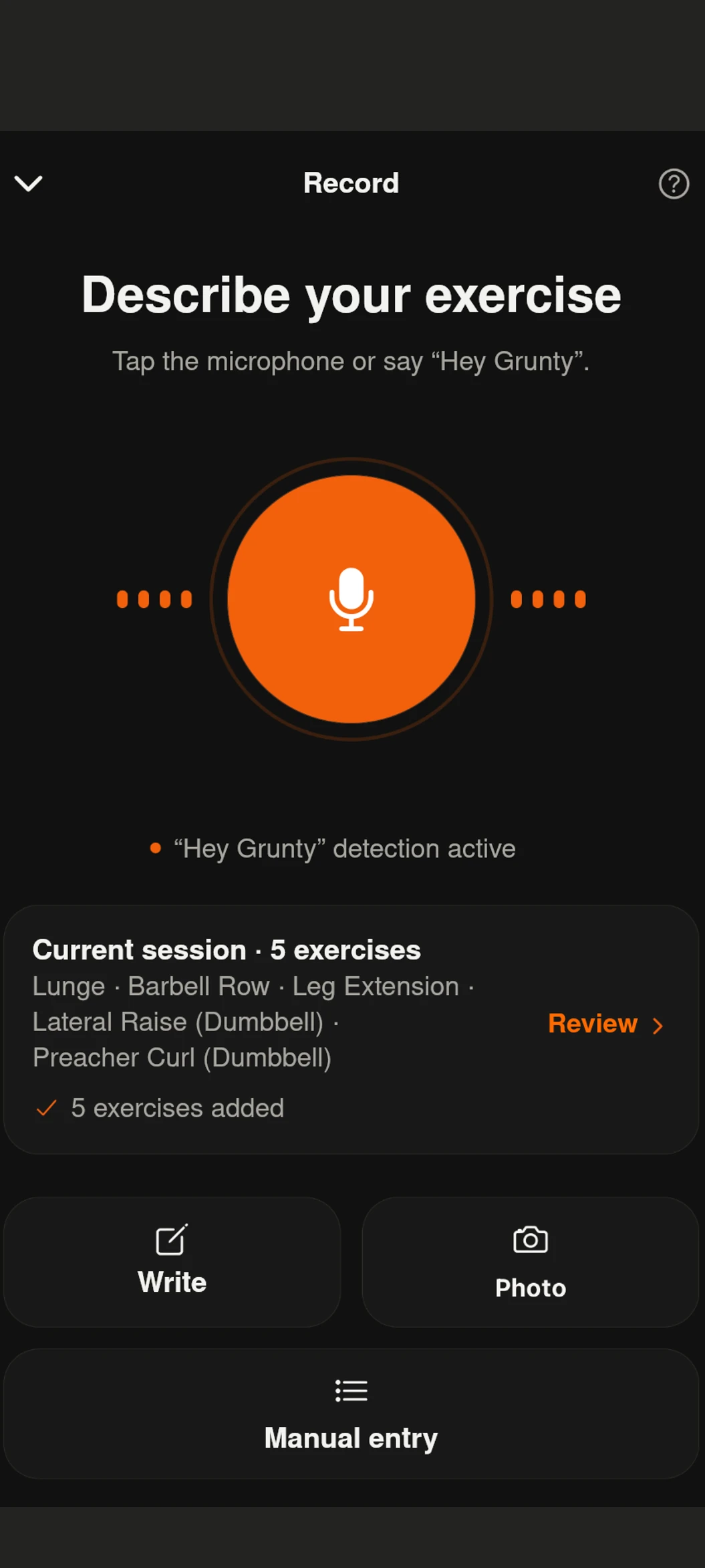
Take a photo of the WOD whiteboard instead of retyping it
At the gym, the WOD may be written on a whiteboard with the movements, weights, repetitions, duration and workout format. With Grunty Premium photo import, you can take a picture or upload a screenshot.
- Capture the whole workout in a sharp, readable image.
- Grunty extracts the movements, targets, weights and other workout information it can read.
- Review the structured result, then update it to reflect what you actually completed.
This is especially useful for workouts mixing the barbell, gymnastics, running, rowing, calorie targets and timed intervals.
If a supported benchmark name is legible on the image, the same text-processing pipeline used for voice inputs can recognize its reference structure. Always check photos that are blurry, partial or contain scaled modifications.
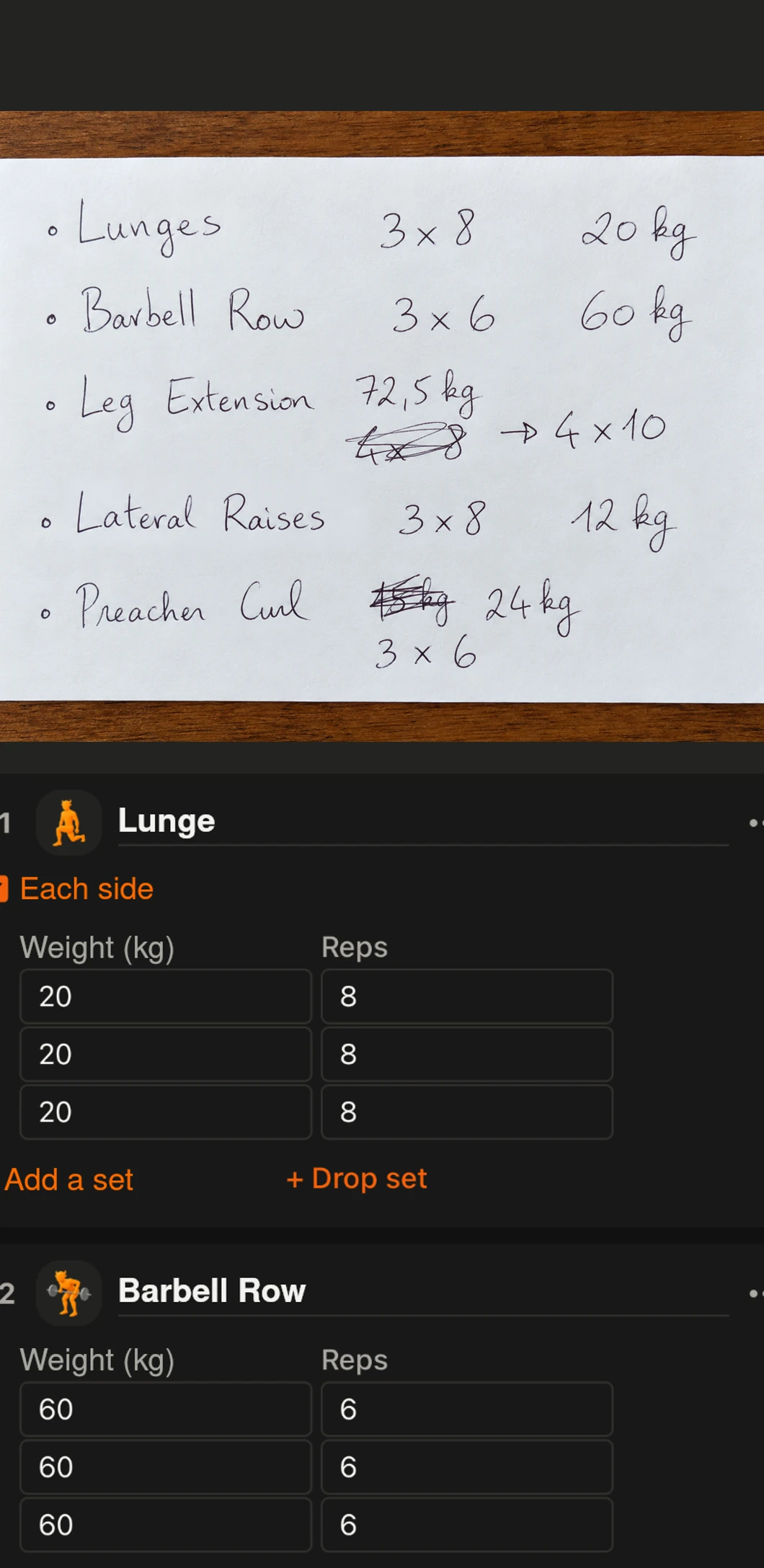
AMRAP, EMOM and For Time need different scores
Not every CrossFit workout has the same scoring system. CrossFit defines AMRAP as completing as many rounds or reps as possible within a set time 1. Scientific reviews of high-intensity multimodal training also emphasize the variety of workout formats and performance measures 4.
| Format | Example | What to record |
|---|---|---|
| AMRAP | 12 min: 5 pull-ups, 10 push-ups, 15 squats | Complete rounds + reps of the partial round |
| EMOM | 12 min: 5 power cleans every minute | Duration, interval, movements and rounds completed |
| For Time | 5 rounds: 10 burpees and a 200 m run | Finish time and any time cap |
| Fixed rounds | 3 rounds: front squats, box jumps, plank | Movements, sequence, rounds, weights and rest |
Grunty can keep these grouped workout structures rather than flattening everything into unrelated sets.
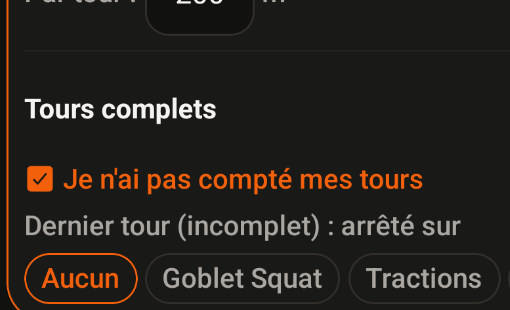
For an AMRAP, 18 rounds + 8 reps does not mean the same thing as exactly 18 rounds. For a For Time workout, 17:40 is the score. For an EMOM, the interval and actual work completed matter.
For example: ‘12-minute AMRAP: 5 pull-ups, 10 push-ups, 15 squats. I completed 8 rounds and 5 pull-ups.’ Describing the final partial round reduces ambiguity.
‘I did Murph in 47 minutes’: how named WOD recognition works
The standard Murph is a one-mile run, 100 pull-ups, 200 push-ups, 300 air squats and another one-mile run. It is scored For Time 2.
You can say: ‘I finished Murph in 47 minutes.’ For that short, unambiguous statement, Grunty has a predefined Murph template with the standard ordered movements, repetitions, distances, CrossFit grouping and recorded finish time.
For Cindy, ‘WOD Cindy, 18 rounds’ maps to a 20-minute AMRAP of 5 pull-ups, 10 push-ups and 15 squats 3.
For Chelsea, ‘WOD Chelsea’ maps to a 30-minute EMOM of 5 pull-ups, 10 push-ups and 15 squats each minute.
The benchmark name describes the reference workout; your score describes what you actually did.
All 15 named benchmarks in the built-in list
The named-WOD reference list currently implemented in Grunty contains these 15 benchmarks, each with a predefined standard structure. It focuses on bodyweight and conditioning benchmarks. It is not the full list of CrossFit benchmark workouts.
| WOD | Reference format | Score |
|---|---|---|
| Murph | For Time | Time |
| Angie | For Time | Time |
| Annie | For Time, 50-40-30-20-10 | Time |
| Barbara | 5 rounds, 3-min rest | Rounds / time |
| Bert | For Time | Time |
| Candy | 5 rounds | Rounds / time |
| Cindy XXX | AMRAP 20 min | Rounds + reps |
| Cindy | AMRAP 20 min | Rounds + reps |
| Chelsea | EMOM 30 min | Completed rounds |
| Emily | 10 rounds, 2-min rest | Rounds / time |
| JT | For Time, 21-15-9 | Time |
| Loredo | 6 rounds | Rounds / time |
| Mary | AMRAP 20 min | Rounds + reps |
| Nicole | AMRAP 20 min | Rounds / pull-ups |
| Zachary Tellier | For Time | Time |
Common first names like Mary and Annie require contextual wording (for example, ‘WOD Annie’, ‘I did Mary’, ‘Annie in 8 minutes’) to avoid interpreting an ordinary person's name as a workout.
Fran, Grace and Helen can be entered by describing their movements, reps and weights, but they are not part of this specific set of 15 preprogrammed named workouts. It would be misleading to promise automatic full-workout reconstruction from those names alone.
For the most reliable result, state the benchmark name clearly and include your score and any scaling or modification.
What about custom WODs and weighted workouts?
A workout doesn't need a famous name to be logged. Describe its structure, exercises and targets: reps, loads, distances, calories, duration or rounds.
For example: ‘12-minute EMOM: minute one, 5 power cleans at 60 kg; minute two, 10 burpees.’ Or: ‘For Time, 4 rounds of 10 thrusters at 30 kg and a 300-meter run; finished in 16:20.’
You can submit this information as text or voice, or import it from a photographed whiteboard with Premium. Complex recognition may require manual corrections to preserve the correct movements and scores.
When a WOD mixes units such as kg, lb, meters, miles and calories, spell out the units where possible and check how weights and distances are displayed.
How to compare benchmark scores over time
Benchmarks help track performance when they are repeated under comparable conditions. Research on high-intensity multimodal training highlights the importance of the workout's specific structure and outcome measures 4.
- Murph: compare times using the same movement standards and vest conditions.
- Cindy: compare rounds plus remaining reps in the same 20-minute window.
- EMOM: compare the time domain, intervals, movements, loads and work completed.
- Scaled workouts: keep the scaling details rather than merging those results with an Rx score.
A reported RPE or a note about how you felt can add context, but neither replaces the workout standard or actual score. A faster result is not necessarily comparable if the prescription changed.
Grunty's workout history is a record of logged training, not an official CrossFit leaderboard.
Three quick ways to log a WOD
Whiteboard photo plus your result
Photograph the WOD, review the structured workout and then enter your actual result, such as ‘14:32, Rx’, or specify the changes you made. A photo of the prescription alone does not establish your score.
Voice entry for a named benchmark
‘I finished Murph in 47 minutes, without a vest.’ Or: ‘WOD Cindy, 18 rounds and 3 pull-ups.’
Text entry for a custom WOD
‘15-minute AMRAP: 10 kettlebell swings at 24 kg, 12 box jumps, 250-meter row. Result: 5 complete rounds.’
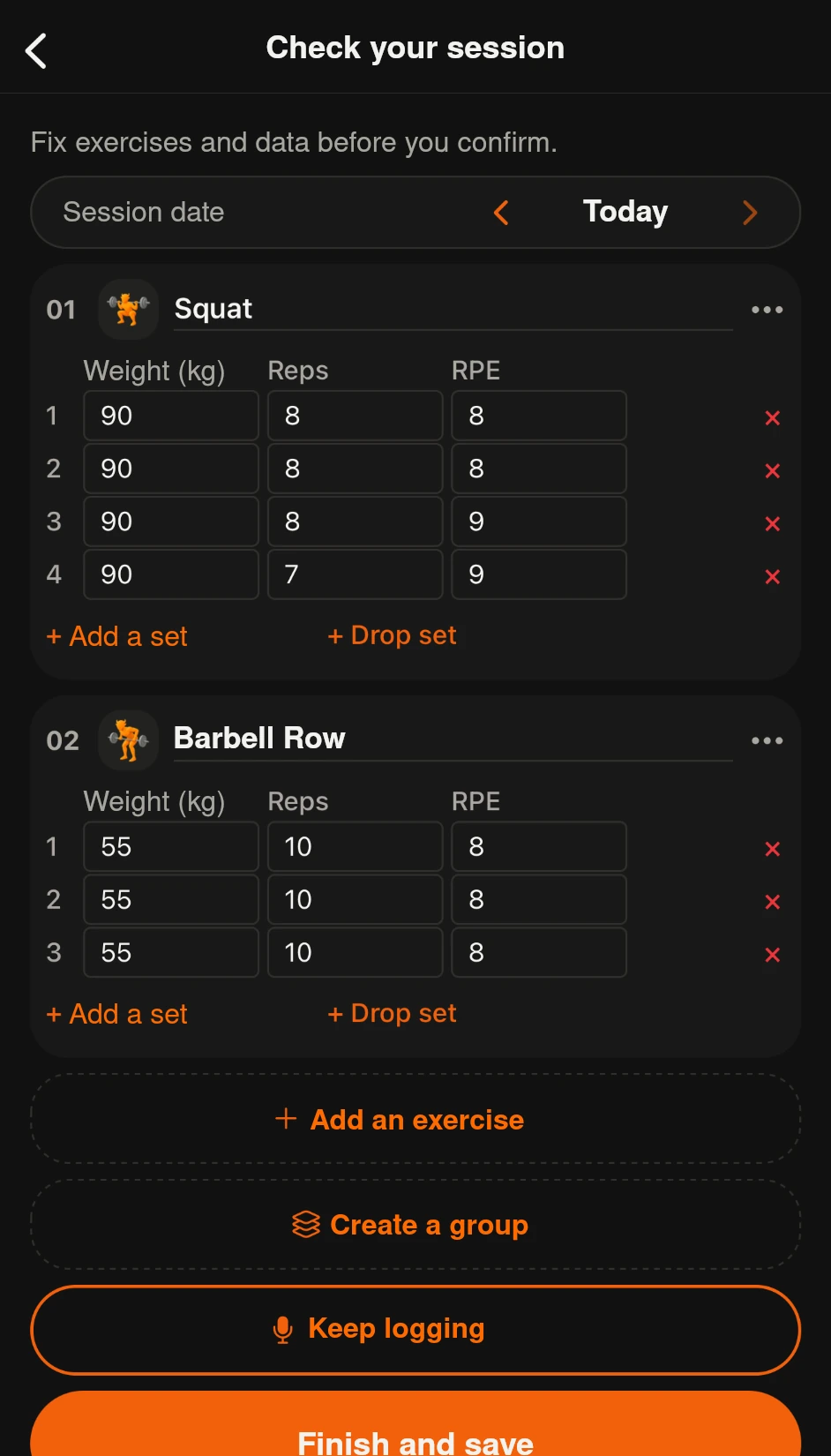
Whatever the input method, always review the movements, blocks, weights and score before saving.
Frequently asked questions
Can Grunty recognize Murph without listing every movement?
Yes. For clearly identified standard Murph shorthand, it has the predefined movements and distances. It must not overwrite any reported variations or partial results.
Does benchmark recognition also work from a WOD photo?
The legible text extracted from the photo goes through the same workout-processing logic. Photo import requires Premium, and reviewing the output is essential.
Can I record custom AMRAPs and EMOMs?
Yes. Describe the format, time domain, movements and result. More complex structures may need adjustments before saving.
Do the 15 presets include Fran, Grace or Helen?
No. Those names are not included in this particular set of 15 built-in templates, although you can describe their movements in a regular workout.
Can I directly compare scaled and Rx benchmark scores?
Not reliably. Keep movement changes, loads and other scaling details attached to the result.
Key takeaways
A useful CrossFit training log preserves the workout format, movements, weights, distances, scaling details and, crucially, what you actually completed.
The best shortcut doesn't remove information. It removes the need to type it all again.
A Premium whiteboard photo, a spoken benchmark time or a custom AMRAP description can all help keep your workouts structured—with review before saving.
Further reading
- Log Olympic weightlifting: complexes, loads and RPE
- RIR and RPE in strength training
- When to increase weights in strength training
Sources and references
- 1. CrossFit — CrossFit Terms Explained (AMRAP, EMOM and benchmarks) ↗
- 2. CrossFit — Murph Hero Workout (official reference and scaling) ↗
- 3. CrossFit — Cindy Benchmark (20-minute AMRAP, 5/10/15) ↗
- 4. Solving the High-Intensity Multimodal Training Prescription Puzzle: A Systematic Mapping Review (2024) ↗
- 5. Grunty — Import a Workout from a Photo (Premium feature) ↗
The list of 15 named benchmarks comes from Grunty's implemented reference catalog, not an official ranking of the most popular CrossFit workouts. Custom formats and photographed WODs require review, especially when workouts have scaled modifications.